
Finding a solid replacement for Firebase Dynamic Links in Flutter can be a massive headache. The ecosystem is filled with complex solutions or packages that haven’t been maintained. When all you need is a reliable way to route users from a link to a specific screen in your app, you shouldn’t have to fight with a heavy, bloated SDK.
I built the Tapp SDK to fix this. As part of your broader Firebase Dynamic Links migration strategy, I’m going to walk you through a complete, copy-paste-ready tutorial on how to implement Flutter dynamic links using our infrastructure. It’s the cleanest way to handle deferred deep linking after the FDL shutdown.
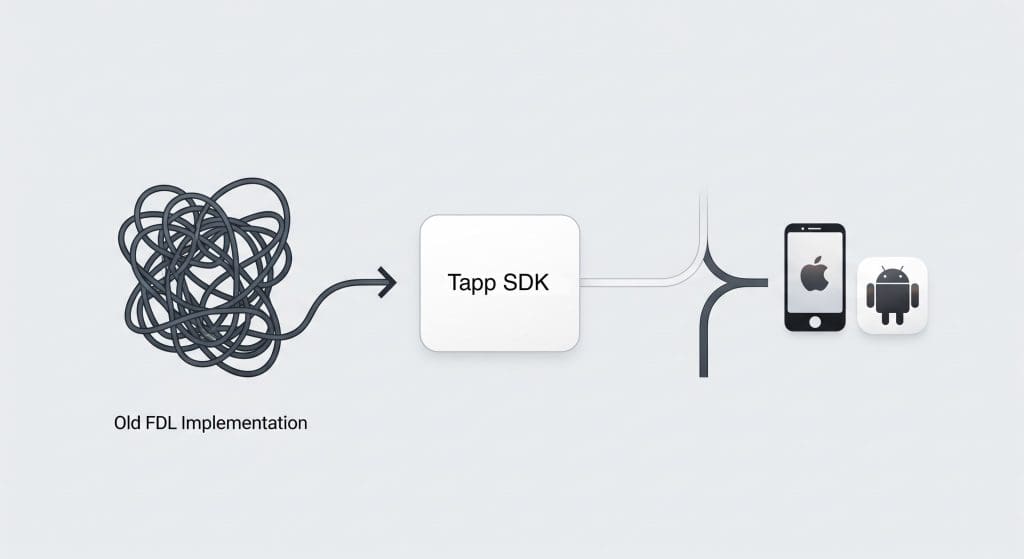
Watch My Technical Walkthrough
Prefer a visual guide? I recorded a video walking through this exact Flutter integration from scratch, explaining the architecture and sharing the debugging tips I use when testing native mobile targets.
[Insert Video Embed Here]
Prerequisites
Before we start writing code, make sure you have the following ready:
- A Tapp account and your free API key.
- An existing Flutter project.
- Your app’s associated iOS Bundle ID and Android Package Name configured in your Tapp dashboard.
Step 1: Add the Tapp Flutter SDK
First, add the Tapp package to your Flutter project. It’s a single line in your terminal.
$ flutter pub add tapp_sdkThis will add the latest version of the Tapp SDK to your pubspec.yaml file.
Step 2: Initialize the SDK
Next, configure the SDK when your app starts. My architectural philosophy for this is simple: Start once. Track meaningful events. Generate links.
The SDK initialization belongs near your app startup in your main() function. Later, your event calls (like triggering a referral reward) should live close to real user moments, such as successful logins or completed purchases.
import 'package:flutter/material.dart';
import 'package:tapp_sdk/tapp_sdk.dart';

void main() async {
  // Ensure Flutter engine is initialized
  WidgetsFlutterBinding.ensureInitialized();

  // Initialize Tapp with your API key
  await Tapp.configure(apiKey: "YOUR_API_KEY");

  runApp(const MyApp());
}

class MyApp extends StatelessWidget {
  const MyApp({super.key});

  @override
  Widget build(BuildContext context) {
    return MaterialApp(
      title: 'Tapp Demo',
      theme: ThemeData(
        primarySwatch: Colors.blue,
      ),
      home: const MyHomePage(),
    );
  }
}
Step 3: Listen for Deep Links
This is the core of the implementation. I designed the Tapp SDK to make it easy to set up a listener that fires whenever a deep link is resolved, whether the app was just installed (deferred deep linking) or was already on the device.
I recommend setting up this listener in your main widget’s initState.
import 'package:flutter/material.dart';
import 'package:tapp_sdk/tapp_sdk.dart';
import 'dart:async';

class MyHomePage extends StatefulWidget {
  const MyHomePage({super.key});

  @override
  State<MyHomePage> createState() => _MyHomePageState();
}

class _MyHomePageState extends State<MyHomePage> {
  StreamSubscription<Deeplink>? _deeplinkSubscription;

  @override
  void initState() {
    super.initState();
    initDeeplinkListener();
  }

  void initDeeplinkListener() {
    _deeplinkSubscription = Tapp.onDeeplinkResolved.listen((deeplink) {
      // Deep link received! Now you can use the data.
      print('Tapp Deeplink Resolved!');

      // Access your custom parameters
      final productId = deeplink.params['productId'];
      if (productId != null) {
        print('Navigating to product page with ID: $productId');
        // Use your app's navigation logic here
        // e.g., Navigator.push(context, ProductScreen.route(productId));
      }

      // Check if this was a deferred deep link from a new install
      if (deeplink.isFirst) {
        print('This link was opened on a fresh install.');
        // You could trigger a special onboarding flow here
      }
    });
  }

  @override
  void dispose() {
    // Clean up the subscription when the widget is disposed
    _deeplinkSubscription?.cancel();
    super.dispose();
  }

  @override
  Widget build(BuildContext context) {
    return Scaffold(
      appBar: AppBar(
        title: const Text('Tapp Flutter Guide'),
      ),
      body: const Center(
        child: Text('Listening for Tapp deep links...'),
      ),
    );
  }
}
With this code, your app is now fully equipped to handle dynamic links in Flutter. The onDeeplinkResolved stream provides all the data you need to route users effectively.
Step 4: Platform-Specific Configuration
To ensure deep links work reliably, you need to add some configuration for iOS and Android.
For iOS
You need to associate your domain with your app. Add the following to your ios/Runner/Info.plist file.
<key>CFBundleURLTypes</key>
<array>
    <dict>
        <key>CFBundleTypeRole</key>
        <string>Editor</string>
        <key>CFBundleURLSchemes</key>
        <array>
            <string>YOUR_URL_SCHEME</string> <!-- e.g., "tapp-demo" -->
        </array>
    </dict>
</array>
For Android
You need to add an intent-filter to your main activity in the android/app/src/main/AndroidManifest.xml file.
<activity
    android:name=".MainActivity"
    ...>
    <intent-filter>
        <action android:name="android.intent.action.VIEW" />
        <category android:name="android.intent.category.DEFAULT" />
        <category android:name="android.intent.category.BROWSABLE" />
        <data android:scheme="YOUR_URL_SCHEME" /> <!-- e.g., "tapp-demo" -->
    </intent-filter>
</activity>
This platform setup ensures the operating system knows to open your app when a corresponding link is clicked.
Troubleshooting Your Flutter Deep Links
If your deep links or attribution aren’t firing on the first run, check these common Flutter integration pitfalls I see devs run into:
- Empty Tokens: Check your
--dart-definenames. TheTAPP_AUTH_TOKENin your build command must exactly matchString.fromEnvironment('TAPP_AUTH_TOKEN')in your code. Make sure yourTAPP_TOKENis also properly passed. - Testing Environment: Our SDK is built specifically for native mobile attribution. While Flutter Desktop and Web targets are convenient for UI work, you must test on Native iOS or Android targets (simulators or real devices) to verify that the attribution behavior is actually working.
- Native Configuration Mismatch: Double-check that your Bundle ID, signing fingerprint, App ID prefix, Associated Domains, and App Links all line up exactly with what you configured in the Tapp dashboard.
Prefer a live technical walkthrough?
Skip the trial and error. Book a quick 15-minute technical demo with me. I’ll screen-share this exact Flutter integration from scratch, explain our native attribution architecture, and answer any specific questions your engineering team has about migrating off Firebase.
Conclusion
That’s all it takes. You’ve successfully implemented a powerful replacement for Firebase Dynamic Links in your Flutter app. By following these simple steps, you’ve added a lightweight SDK, initialized it, and set up a robust listener to handle all your deep linking needs.
Your migration doesn’t have to be a roadblock. Create a Free Staging Account & Test the API today.
For a deeper dive into the architecture, check out my complete Technical Guide: How to Replace Firebase Dynamic links with Tapp for iOS & Android.

Alexandros Stergiou is the CTO and Co-Founder of Tapp. As a patented mobile software engineer and inventor, Alexandros specializes in cross-platform SDK architecture (React Native, Flutter) and native iOS/Android development. He built Tapp to provide developers with a lightweight, reliable mobile growth infrastructure without the enterprise bloat.