

You understand the strategic theory behind virality, but theory doesn’t build growth engines. Code does. I am the CTO of Tapp, and in this guide, I am going to give you the definitive technical implementation details required to accurately track a viral loop and calculate its performance in your iOS or Android app.
Accurate viral loop analytics are the difference between a hopeful marketing feature and a predictable, scalable acquisition channel. This is not a “why” article; it is a tactical “how-to” guide for engineers. I will provide clear, copy-pasteable code concepts to show you exactly how to instrument every stage of the loop using our SDK, and then use that webhook data to calculate essential viral metrics like your K-factor.
Table of Contents
The Anatomy of a Measurable Viral Loop
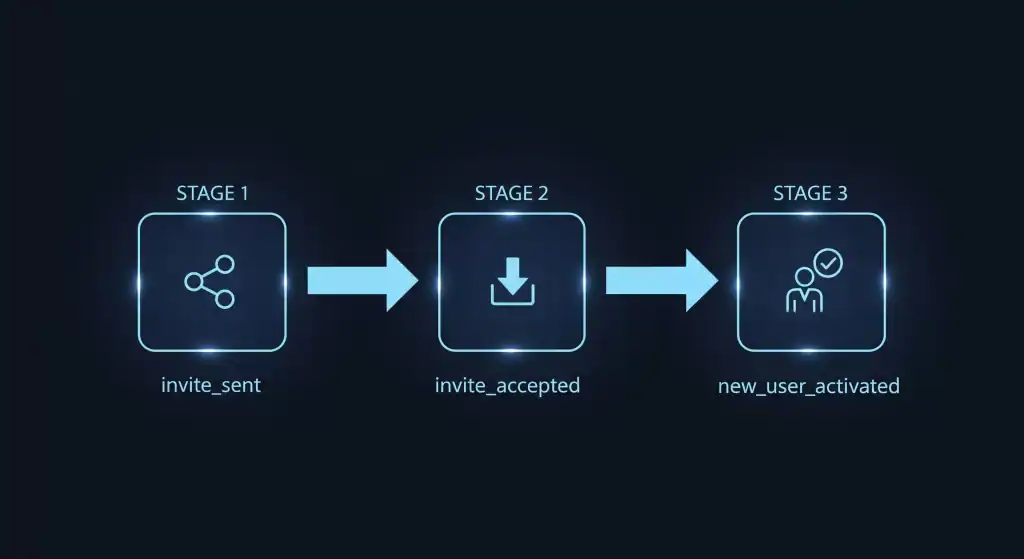
To effectively measure and optimize a viral loop, you cannot treat it as a single action. You must break it down into a programmatic funnel of distinct, trackable webhook events. A complete, measurable loop consists of three core payloads:
invite_sent: An existing user successfully shares their unique deferred deep link. This is the top of your viral funnel.invite_accepted: A new user installs, survives the App Store, and opens the app for the first time via that invitation link. This is your core attribution event.new_user_activated: The new user performs the deep-funnel action that defines a “successful” conversion (e.g., completes onboarding, activates a trial, makes a purchase).
By instrumenting each of these events, you can precisely measure the drop-off at every stage of your loop.
Step-by-Step Implementation with Tapp
This section provides the core code concepts for instrumenting your viral loop using our infrastructure.
Step 1: Generating the Unique Invite Link
Every invitation must have a unique link that contains JSON data identifying the sender. This is generated via an API call from your client or backend to Tapp when a user taps your native “Share” button.
// Example API Call to Tapp
POST https://api.tapp.so/v1/links
Authorization: Bearer YOUR_API_KEY

{
  "ios_target": "yourapps-scheme://",
  "android_target": "yourapps-scheme://",
  "params": {
    "referrer_id": "USER_ID_12345",
    "campaign": "summer_referral_2026"
  }
}
The API returns a unique short link (e.g., https://tapp.so/abcde) that you pass directly into the native OS share sheet.
Step 2: Tracking the ‘Invite Sent’ Event
As soon as the user successfully shares the link (the share sheet is dismissed), you should fire an event to track it. This event becomes the numerator for calculating your invitation rate.
iOS (Swift)
// In the completion handler of your UIActivityViewController
Tapp.trackEvent("invite_sent", properties: ["campaign": "summer_referral_2026"])
Android (Kotlin)
// After the share intent has been successfully launched
val properties = mapOf("campaign" to "summer_referral_2026")
Tapp.trackEvent("invite_sent", properties)
Step 3: Attributing the Install (‘Invite Accepted’)
When a new user opens the app for the first time after clicking a Tapp link, the SDK reaches out to our servers and retrieves the original parameters. This deferred payload delivery is the most critical step for attribution.
iOS (Swift)
// Implement the TappDelegate method in your AppDelegate
func tapp(didResolve deeplink: Tapp.Deeplink) {
    // Check if this is the first launch for this device
    if deeplink.isFirst {
        if let referrerId = deeplink.params["referrer_id"] as? String {
            // This is an 'invite_accepted' event.
            // Associate this new user with the referrerId in your backend.
            MyAnalytics.saveAttribution(referrer: referrerId)

            // You can also track this event directly
            Tapp.trackEvent("invite_accepted", properties: ["referrer_id": referrerId])
        }
    }
}
Android (Kotlin)
// In your main Activity's onCreate or onNewIntent
Tapp.getDeeplink(intent) { deeplink ->
    deeplink?.let {
        if (it.isFirst) {
            val referrerId = it.params["referrer_id"] as? String
            if (referrerId != null) {
                // This is an 'invite_accepted' event.
                MyAnalytics.saveAttribution(referrerId)

                // You can also track this event directly
                Tapp.trackEvent("invite_accepted", mapOf("referrer_id" to referrerId))
            }
        }
    }
}
At this point, you have successfully attributed the new user to the referrer.
Step 4: Tracking the ‘New User Activated’ Event
Finally, you must track when the new user performs the valuable action that triggers the actual reward or conversion logic.
iOS (Swift)
// When the new user completes the target action
Tapp.trackEvent("new_user_activated", properties: ["activation_type": "trial_started"])
Android (Kotlin)
// When the new user completes the target action
val properties = mapOf("activation_type" to "trial_started")
Tapp.trackEvent("new_user_activated", properties)

From Data to Insight: How to Calculate K-Factor
With these events instrumented, you now have the raw data flowing into your database to calculate your key viral metrics.
The K-Factor Formula
Your viral coefficient (K-Factor) is the product of your Invitation Rate and your Conversion Rate:
$$K = i \times c$$- Invitation Rate ($i$): How many invites each active user sends on average.
Example: 15,000 invites sent / 10,000 active users = 1.5 - Conversion Rate ($c$): The percentage of those invites that turn into activated users.
Example: 750 activations / 15,000 invites = 0.05
Using the numbers above, your K-Factor calculation is: 1.5 * 0.05 = 0.075.
Cycle Time
This measures the velocity of your loop. For each user who sends an invite, calculate the time difference between the timestamp of their invite_accepted event (when they were acquired) and their first invite_sent event (when they referred someone else). The average of this delta across your user base is your cycle time.
Frequently Asked Questions (FAQ)
What’s the difference between tracking an install vs. an activation?
An install (invite_accepted) simply means the app was downloaded and opened. An activation (new_user_activated) means the user performed a valuable action. For most viral loops, especially incentivized ones, you should always base your c conversion metric on activation, not just installation, to prevent fraud.
Where should I store the attribution data?
Upon receiving the referrer_id from the Tapp SDK on first open, you should immediately send it to your own backend server and associate it with the new user’s record in your database. This creates a permanent, first-party record of the attribution that you own and control.
Test the Webhooks Today
To effectively track a viral loop, you must move beyond hope and into the realm of precise engineering. Instrumenting every single step of the funnel—from the initial payload generation to the final webhook conversion—is the only way to get reliable data.
Tapp provides the purpose-built deterministic attribution engine that makes this level of granular tracking possible. We give you the developer tools to not only build a viral loop but to measure it, understand it, and improve it with absolute confidence.
Stop guessing and start engineering.
Create a Free Staging Account & Test the Tapp SDK today.
To understand the strategic theory behind this implementation, read my full Engineer’s Guide to Building Viral Loops.

Alexandros Stergiou is the CTO and Co-Founder of Tapp. As a patented mobile software engineer and inventor, Alexandros specializes in cross-platform SDK architecture (React Native, Flutter) and native iOS/Android development. He built Tapp to provide developers with a lightweight, reliable mobile growth infrastructure without the enterprise bloat.